

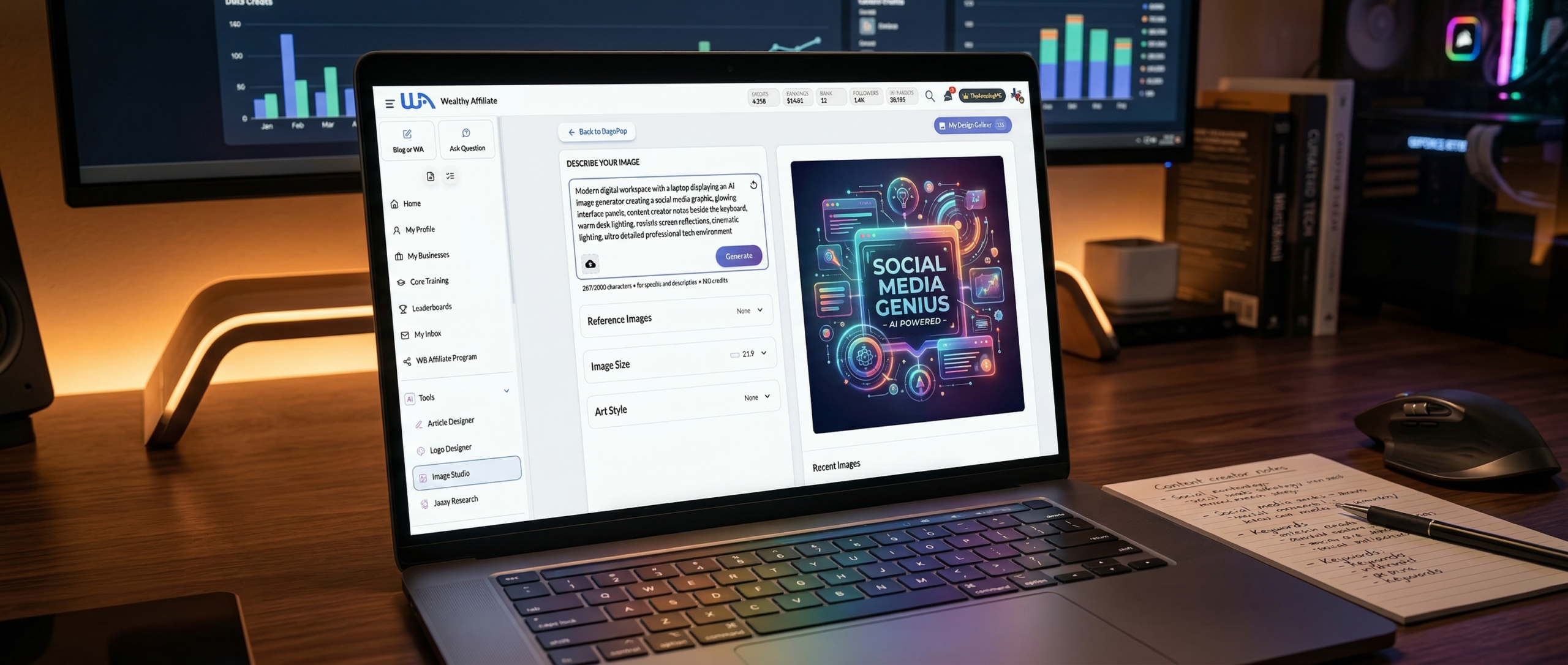
Something shifted for me this week.
For years I kept a paid membership with Canva. Most creators have. It became the go-to tool when you needed a quick graphic, a social media post, or a blog image that did not look like it came from Microsoft Paint.
Drag a few elements around. Drop in a template. Adjust a color. Export.
It worked. And to be fair, it worked well.
I used it constantly.
But after seeing the new details released about the Wealthy Affiliate Image Studio today, something clicked. The moment I started experimenting with it, I realized the workflow had quietly changed.
Not improved a little.
Changed completely.
The old process looked something like this.
Open Canva. Search templates. Scroll through pages of designs. Find something close to what you want. Start editing elements. Resize objects. Replace icons. Adjust fonts. Export the image.
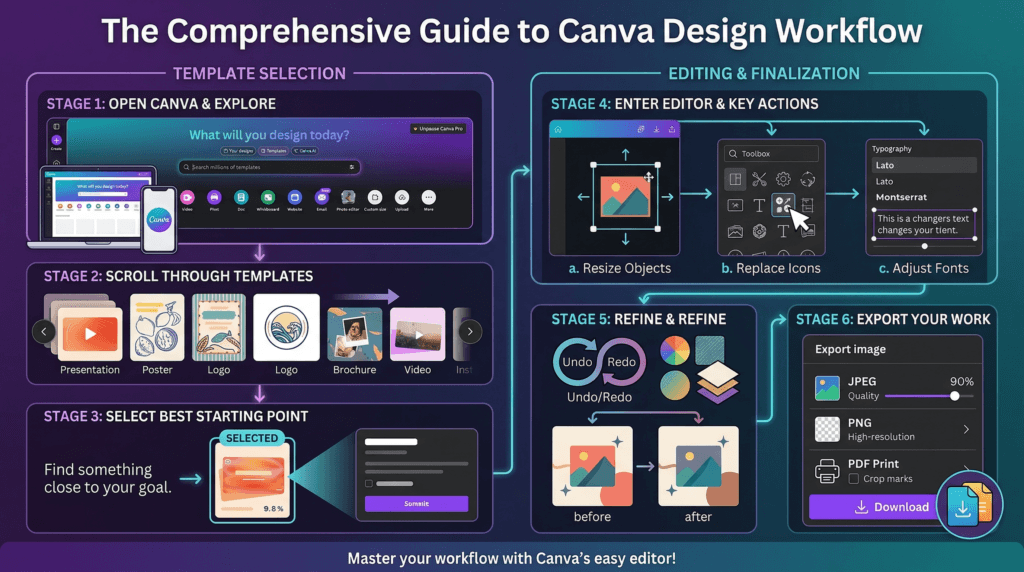
Even when you move quickly, that process eats time. Ten minutes here. Twenty minutes there. Sometimes longer if the template refuses to cooperate with the idea in your head.
Now compare that to the process inside Image Studio.
- Write the idea.
- Generate the image.
- Done.
The Prompt I Used
Create an Infographic.
Open Canva. Search templates. Scroll through pages of designs. Find something close to what you want. Start editing elements. Resize objects. Replace icons. Adjust fonts. Export the image.
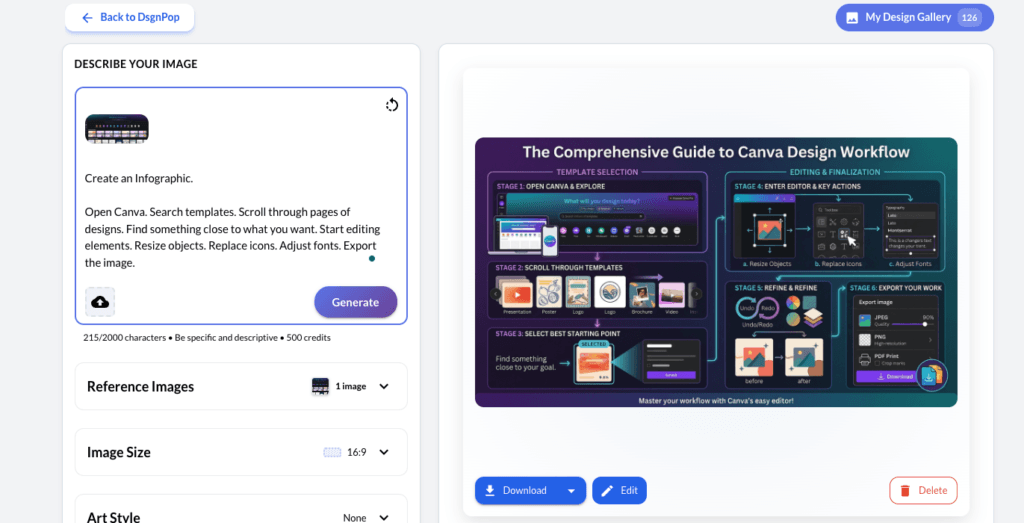
No template hunting. No dragging shapes across a canvas trying to make things line up. No wrestling with layers or spacing.
You describe the concept and the system produces the image.
I tested it almost immediately after watching Kyle walk through the new features inside the weekly update from Wealthy Affiliate. I took a short list of key takeaways from the update, turned those ideas into an image prompt, and ran it through Image Studio.
The first image worked.
No revisions. No fiddling. Just a usable graphic.
That moment told me everything I needed to know.
For creators, speed matters more than most people realize. The faster you move from idea to finished content, the easier it becomes to stay consistent. When a task that used to take thirty minutes suddenly takes thirty seconds, the entire content workflow changes.
- You publish more.
- You test more.
- You create more.
In fact, I documented the exact process step by step in another post I wrote called How I Created a Social Media Graphic in 2 Minutes With Wealthy Affiliate Image Studio. If you want to see how the workflow actually looks from start to finish, you can read it there.
It walks through the full process. From watching the announcement, to writing a prompt, generating the image, and posting the finished graphic on social media. The entire thing took less time than it normally takes just to find a template in a design library. Under 2 Minutes!
Tools that remove friction always win in the long run.
That is why this felt like a natural point to close one chapter and start another.
Canva helped millions of creators, myself included, build visuals we could never have produced on our own years ago. It deserves credit for that. It simplified design for people who were not designers.
But the next wave of creator tools is not about templates.
It is about generating the exact image you need the moment you think of it.
After seeing what Image Studio can do inside Wealthy Affiliate, I made a simple decision.
My Canva subscription is gone.
Not out of frustration.
Just evolution.
I invite you to try it for yourself. Create a Free Wealthy Affiliate account. Setup your profile and try it out for yourself to see the difference it makes for content creation process. I am sure you will be just as amazed as I was!
2 Minute Graphics: The New Creator Workflow
Content creation is moving faster than ever. With the Wealthy Affiliate Image Studio, you can turn a simple idea into a finished graphic in seconds. No templates to search, no design tools to wrestle with. Just describe the image you want and generate it.
Create your free account, set up your profile, and use your included AI credits to explore Image Studio and see what you can create.
Create Your Free Account and Try Image Studio

Love the straightforward and honest breakdown of the new system. I am just starting to utilize infographics and step up my informational material. It seemed a little over the top for me to start a new subscription with Canva and I have found it very difficult and tedious. Thanks for the breakdown and making it look easy and non-intimidating. The examples and being able to see it in action were very helpful, also thought the internal link to your other article was awesome. Ready to put this into motion and see the results!
Hello John, thanks for stopping by to leave your insights, and glad you enjoyed the article. Best of luck to you moving forward, and if you need a hand, just ask.
Michael